Demos#
The demos are complete programs in examples/demos, and the quickest way to see what nt3d does. Each runs in a terminal with task <name>, and in a browser from the gallery.
They all share the widget’s controls (drag to orbit, wheel to zoom, c to fit, r to rotate) and a few keys of their own: 1, 2, and 3 switch between GPU, software, and wireframe, and q quits. Each demo lists its other keys along the top of the screen.
Terrain explorer#
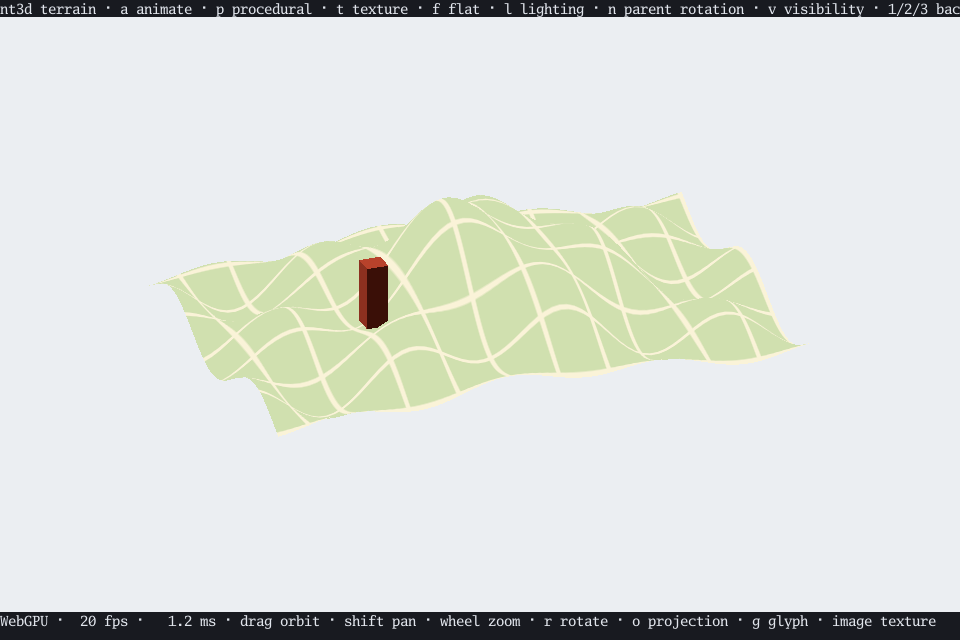
task terrain. A textured heightfield with lighting, picking, and parent transforms. f flattens the hills, t swaps the texture, l toggles lighting, w toggles vertex displacement and material shader hooks, n rotates the parent node, v hides it, and p switches to shader textures.
Its flags work for every demo: --render-mode gpu|software|wireframe, --msaa, --supersample 1..4, --effect none|studio|bloom|ssao|vignette|"soft focus", --snapshot file.png for a still image, --duration, --animate=false to start paused, and --medium direct|shm to choose how Kitty images are sent.
task terrain -- --render-mode software
task terrain -- --render-mode gpu --snapshot /tmp/terrain.png
Comparing Kitty frame updates#
On a terminal with Kitty frame-edit support, such as Ghostty 1.4, compare:
bin/nt3d-water --medium direct --kitty-frame-edits=off
bin/nt3d-water --medium direct --kitty-frame-edits=on
off uploads a complete replacement image each frame. on forces edits to the
existing image, using a smaller rectangle when enough pixels remain unchanged.
It requires frame-edit support; basic Kitty image support alone is insufficient.
The default, auto, uses capability queries and may fall back to full uploads
even on terminals that support edits but do not answer those queries.
The status line reports frame edits or full uploads when Kitty is active.
Use the same window size, camera, and backend for both runs. Both modes use synchronized uploads through ntpicture v0.1.4 or later. The FPS counter measures application frame completion, not the terminal’s display rate; render milliseconds exclude upload and terminal painting. Water changes much of the scene, so it may benefit less from partial updates than a mostly static scene.
Measuring instead of eyeballing#
animation and water can compare both update modes automatically without
opening a terminal:
bin/nt3d-animation --kitty-benchmark /tmp/animation.json
bin/nt3d-animation --benchmark-camera-scale 2 --kitty-benchmark /tmp/animation-small.json
bin/nt3d-water --kitty-benchmark /tmp/water.json
Each run renders a fixed 960×640 sequence at 1/30-second simulation steps, then
feeds each identical frame to independent full-upload and frame-edit Pictures.
The order alternates each frame. Ten warmup frames are excluded; use
--benchmark-frames to change the default 120 measured frames. Both paths use
stable image IDs, zlib compression, direct transport, and synchronized uploads
when the linked ntpicture provides them. Explicit capability settings avoid
terminal detection affecting the comparison.
JSON reports include per-frame protocol bytes (including chunk headers and synchronization), uploaded pixel area, actual full-upload/frame-edit counts, preparation/encoding timings, separate scene render timings, and mean/p50/p95 summaries. The measured component path includes command execution and protocol counting. It excludes terminal writes, Bubble Tea rendering/scheduling, and terminal painting, so these timings are not terminal FPS or upload latency.
Procedural plasma#
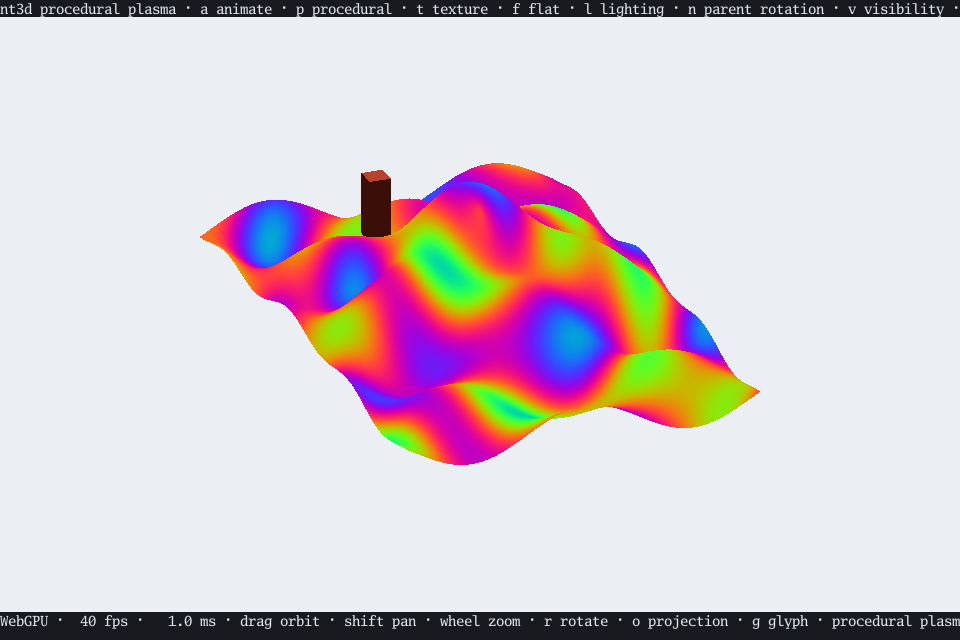
task procedural. A shader texture paints the terrain with animated plasma while vertex displacement and material shader hooks ripple the surface with analytic wave normals and linear-light crest bands, updating up to 30 times a second via WithParameters without re-uploading terrain buffers. w toggles the vertex/material shader hooks on and off, a pauses animation, t shifts phase and wave style, and software rendering evaluates the matching Go fallbacks. Snapshots capture the first phase.
task terrain -- --procedural --snapshot /tmp/plasma-gpu.png
task terrain -- --procedural --render-mode software --snapshot /tmp/plasma-software.png
Dynamic scene#
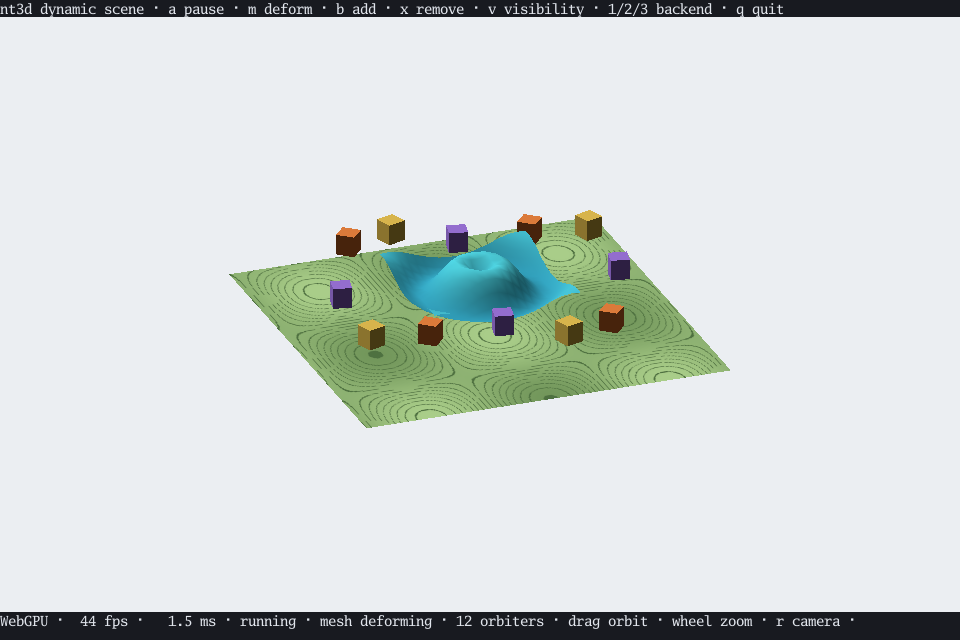
task dynamic. Boxes orbit a deforming wave above a textured floor. The wave changes its vertices and even its triangles each step; the boxes only change their transforms. m holds the wave so you can watch transform-only animation, b adds a box, x removes the oldest, a pauses, and v toggles visibility.
Water#
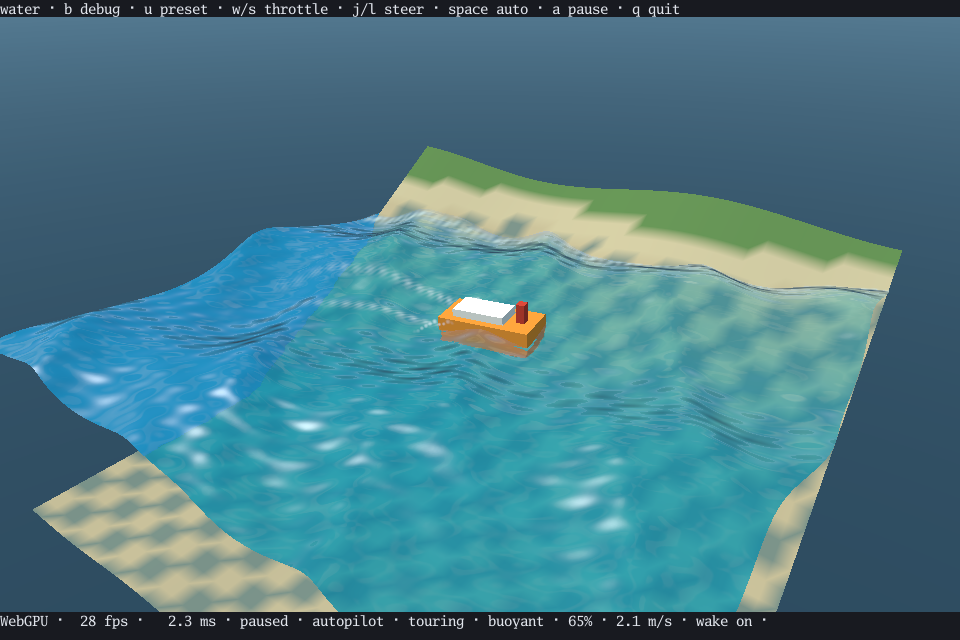
task water. A craft rides three Gerstner waves, launching off crests and landing under gravity. It starts on autopilot; w/s change throttle, j/l steer, and Space toggles autopilot. Hull probes supply buoyancy, drag, and planing forces to a fixed-step rigid-body integrator; stern-jet thrust drives and steers it. The water guide covers the force model and full key list. n toggles procedural ripple normals, e sky reflections, and a pauses the shared clock. GPU and software share surface geometry and material behavior; wireframe shows the large waves and craft motion.
Shape builders#
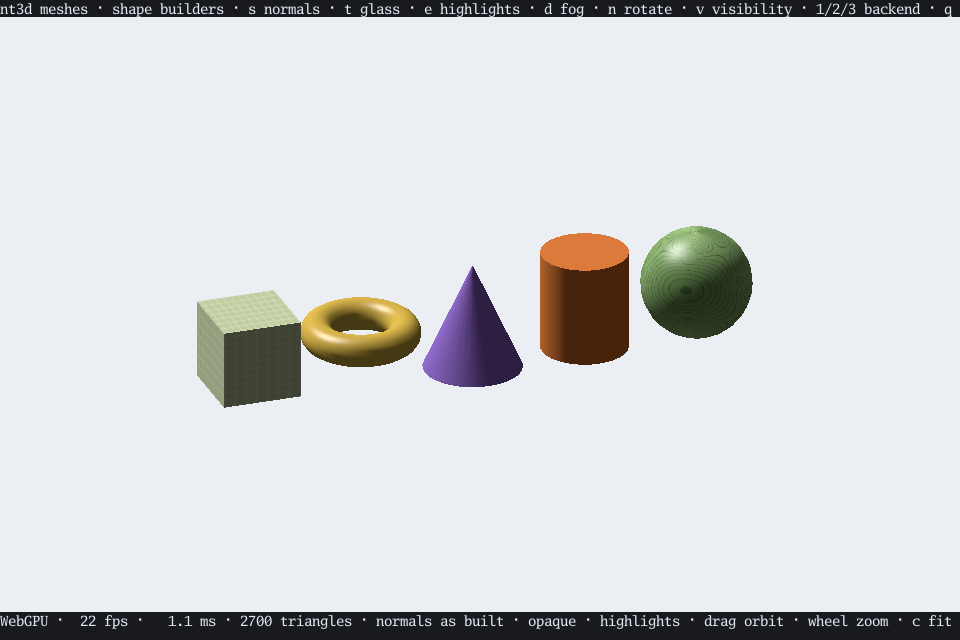
task shapes. Every shape builder, lit and textured. m switches between the classic shape lineup and an intersecting glass sculpture (crossed ruby and cyan glass panes, interlocking amber and violet rings, and an emerald glass shell around an opaque core), t cycles opaque, glass (OIT) (Weighted Blended Order-Independent Transparency), and glass (sorted) so you can compare order-independent blending against per-object depth-sort popping, s cycles normals between as built, flat, and smooth, e toggles highlights, b toggles silhouette outlines, and d adds fog.
Mesh files#
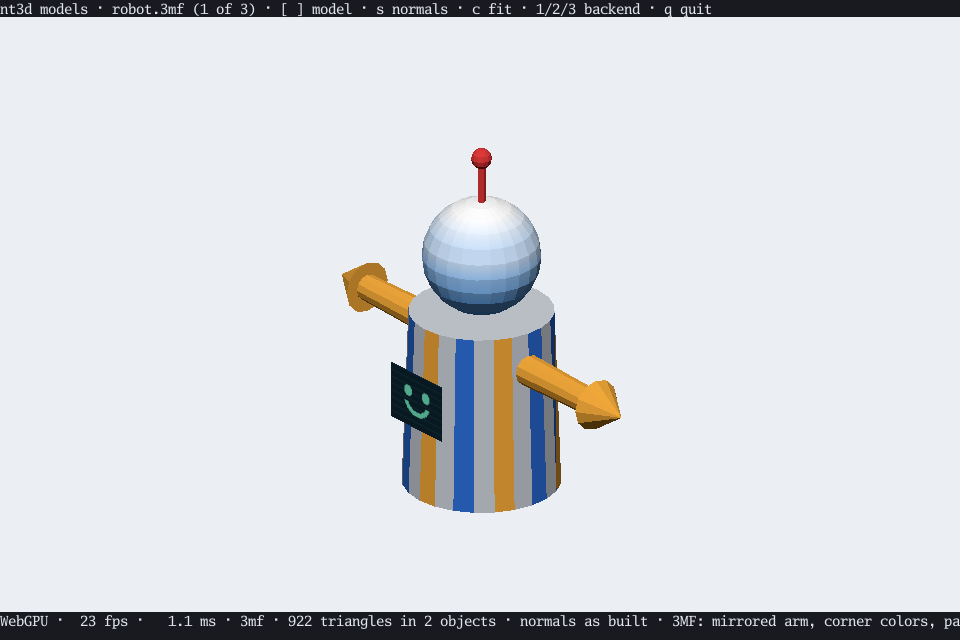
task models. Three sample files: a 3MF robot (components with a mirrored arm, a corner-color gradient, slicer-painted stripes, a textured screen, and a thumbnail), a Y-up OBJ star (concave caps, a wood texture, an MTL color), and a binary STL trefoil knot with face colors. [ and ] change model, and s cycles normals. The samples are made from nt3d’s own shape builders by task models-generate, so no third-party models are included.
task meshes -- model.stl shows your own files, any format nt3d reads; add --up y for Y-up OBJ files. glTF / .glb files instantiate their full Model.Asset hierarchy with PBR materials intact: when a file defines KHR_materials_variants, v cycles through its named colorways (and back to default); when a file ships sibling *_LOD0..N subtrees, meshes auto-collapses them onto Scene.SetLOD (l toggles LOD auto vs raw showcase hierarchy, [ / ] step SetLODBias, and the status bar shows drawn / full triangles and active LODTierInstances as you zoom). A Gaussian splat capture (.spz, or a 3DGS .ply with --up -y) opens on its subject, the dense middle of the cloud, rather than on the shell of background splats around it, and c returns there. In a splat scene u halves the splat budget, y doubles it, and z restores the default. w builds a spherical-harmonic palette for the cloud in the background, with progress in the status line, and swaps it in with the GPU memory it saves; w again swaps the originals back, and during the build it cancels.
Dense mesh#
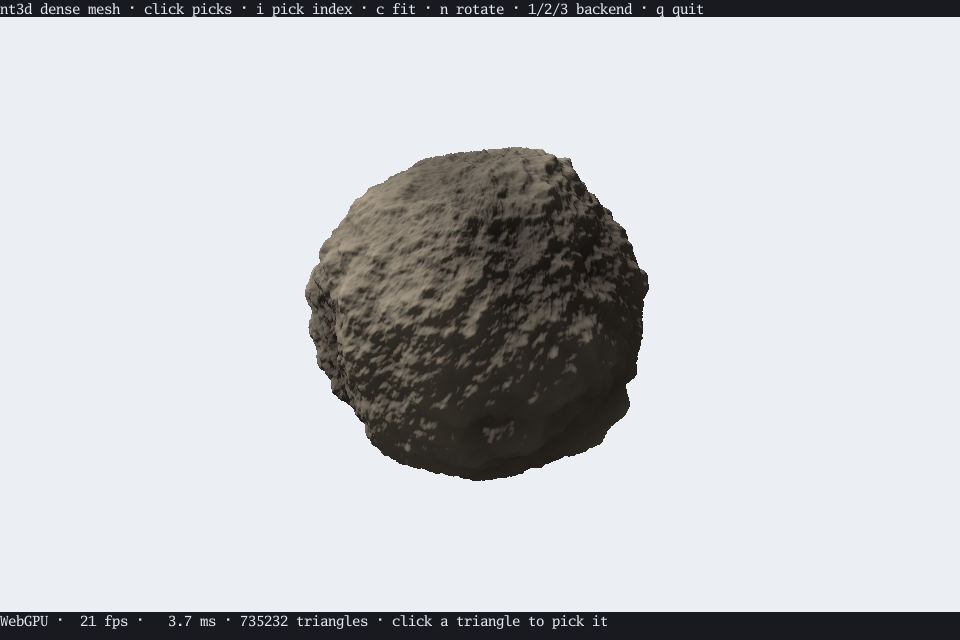
task large. A 735,000-triangle asteroid. Software draws every triangle, wireframe draws its silhouette and contours, and clicks pick triangles through an index built in the background; i turns indexing off.
Fur#
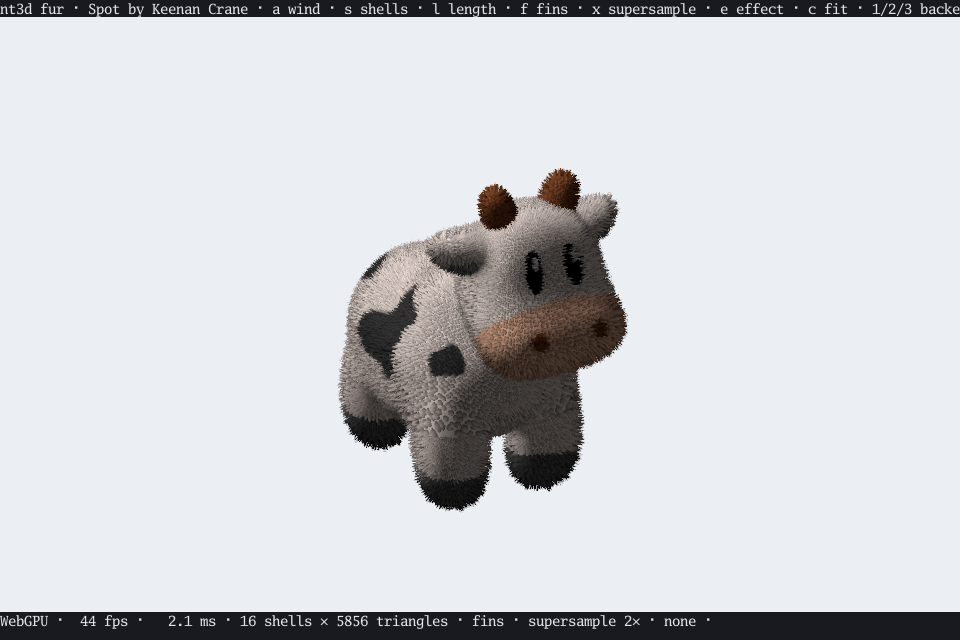
task fur. Spot the cow in shell fur colored by its own texture, swaying in the wind by moving nodes alone. s cycles the shell count, so you can watch layers become strands; l changes the length, f toggles the fins, m the coverage-preserving mipmaps, a the wind, t toon shading with the skin inked at the fur’s tips, x cycles anti-aliasing (1×, 4× MSAA, 2× and 3× supersampling), and e cycles GPU/CPU post-processing presets (studio, bloom, ssao, vignette, soft focus).
Mipmaps#
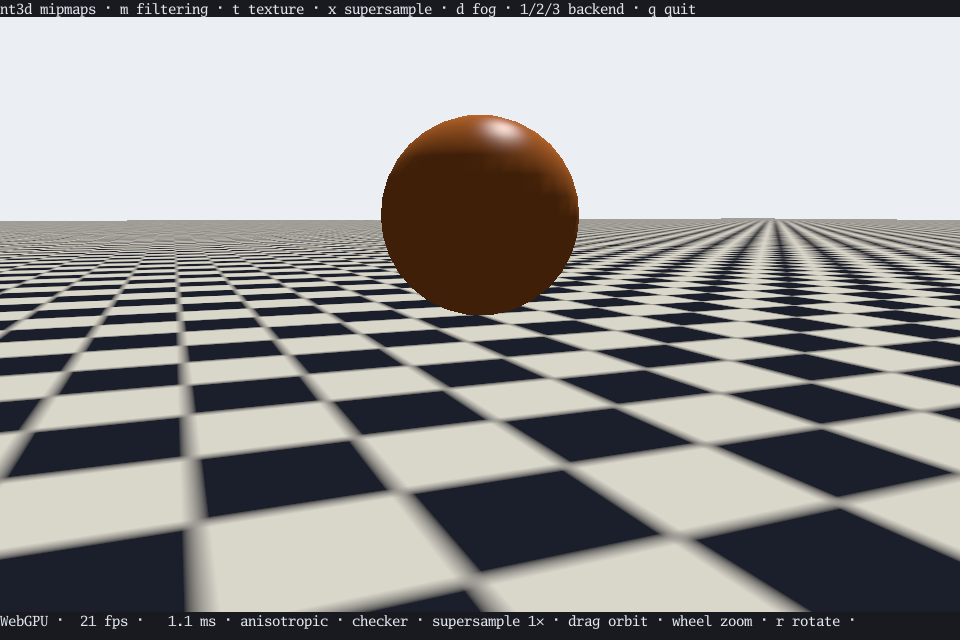
task mipmaps. A tiled floor to the horizon. m cycles the filtering: without mipmaps the far texels shimmer into moiré; with them the floor settles into an even tone, and anisotropic filtering keeps its detail. t changes the texture, x cycles anti-aliasing (1×, 4× MSAA, 2× and 3× supersampling), and d adds fog.
Forest#
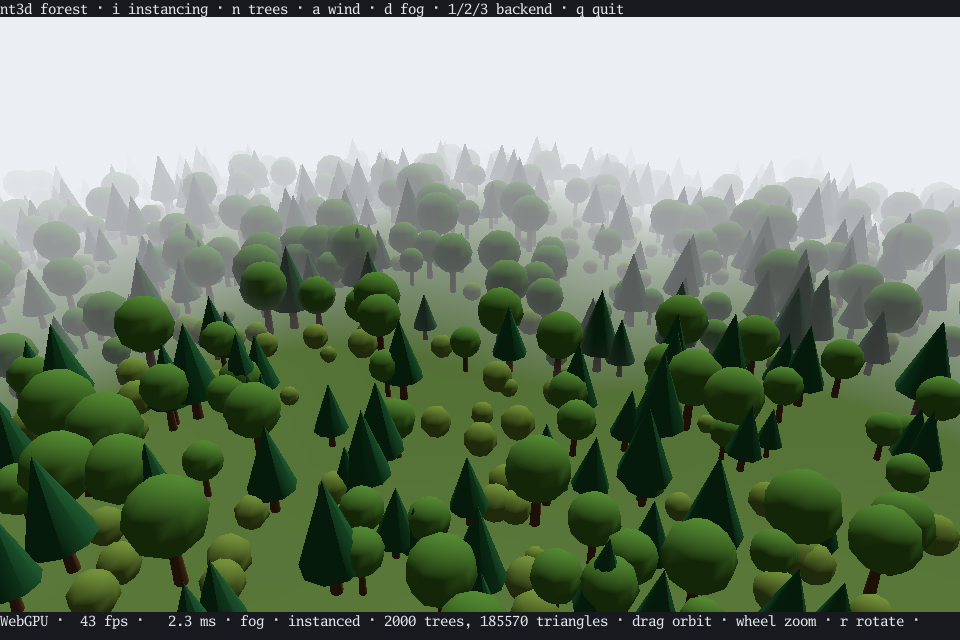
task forest. Thousands of trees from three shared meshes, each uploaded once and drawn in one instanced call, swaying in the wind. By default each tree steps through three level-of-detail tiers (MaxDistance: 0 on the coarsest tier so zoomed-out trees stay visible), with live batch, frustum-drawn tree, per-tier LODTierInstances, and triangle counts from Frame.Stats(); l cycles LOD on, LOD tint (color-coded near/mid/far rings), and LOD off, [ and ] step Scene.SetLODBias (×0.9 / ×1.1), b toggles a 5% Scene.SetLODHysteresis deadband, i switches to separate copies, n changes how many trees grow, a stills the wind, d fades them into fog, and s cycles through no shadows, drop shadows, and shadow maps.
Lights#
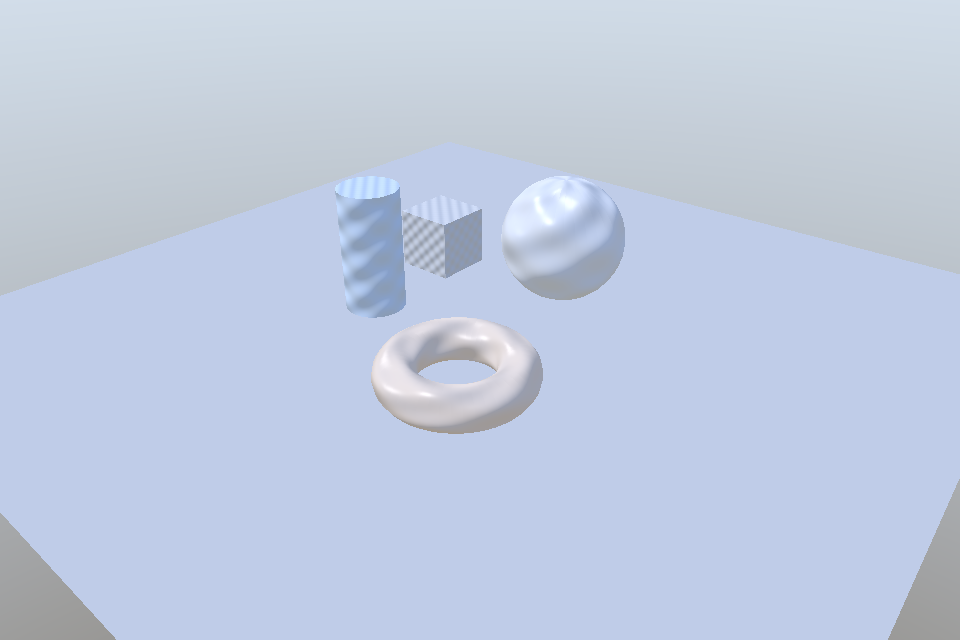
task lights. A sphere, a torus, a column, and a cube on a floor of two triangles, under presets of lighting: the default key light, a turning sun under a sky-to-ground ambient, three colored lamps orbiting, spotlights, HDR/image/SH IBL skies, one lamp at night, and eight at once. It opens on the three lamps. Light is found per pixel, so a lamp’s bright spot crosses the floor where no vertex is. l changes the preset, f the point lights’ falloff, e cycles materials (PBR, PBR ORM+glow, coat+sheen car paint/varnished wood/velvet/wet asphalt, shiny, and dull), p cycles HDR post-processing (studio, bloom + ACES, SSAO, Reinhard + vignette), x cycles anti-aliasing (1×, 4× MSAA, 2×/3× supersampling), a pauses the lamps, and s cycles through no shadows, drop shadows, and shadow maps. Shadow maps use the first light, including the point-light and spotlight presets. Press b to lift the shapes: drop shadows stay on the floor at world Z=0, while mapped shadows follow the light.
The first three presets demonstrate environment skies and diffuse image-based lighting: a gradient sky with a key light, the sky alone, and an original generated warm/cool panorama. l cycles through them and the direct-light presets. Sky orientation follows the camera in all three renderers. Press n to compare the generated relief normal map with smooth surfaces; both GPU and software perturb the lighting, while wireframe keeps the geometric silhouette.
Particles#
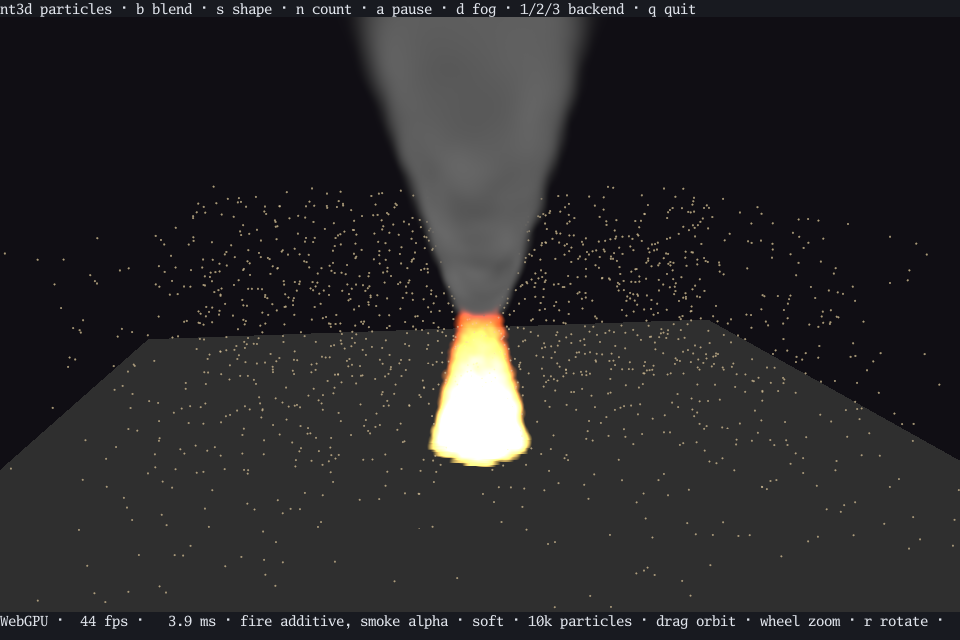
task particles. A fire of soft points sized in world units, glowing additively, rises into smoke blended by alpha, sorted back to front every frame, while dust drifts through in pixel-sized points. Every point moves every frame through SetNodePoints, keeping its GPU buffers and using fixed bounds. t switches to a generated four-frame sprite atlas. b changes the blending, s makes the points hard or soft, n changes the count (1,000, 10,000, or 100,000), and a pauses them.
Point cloud#
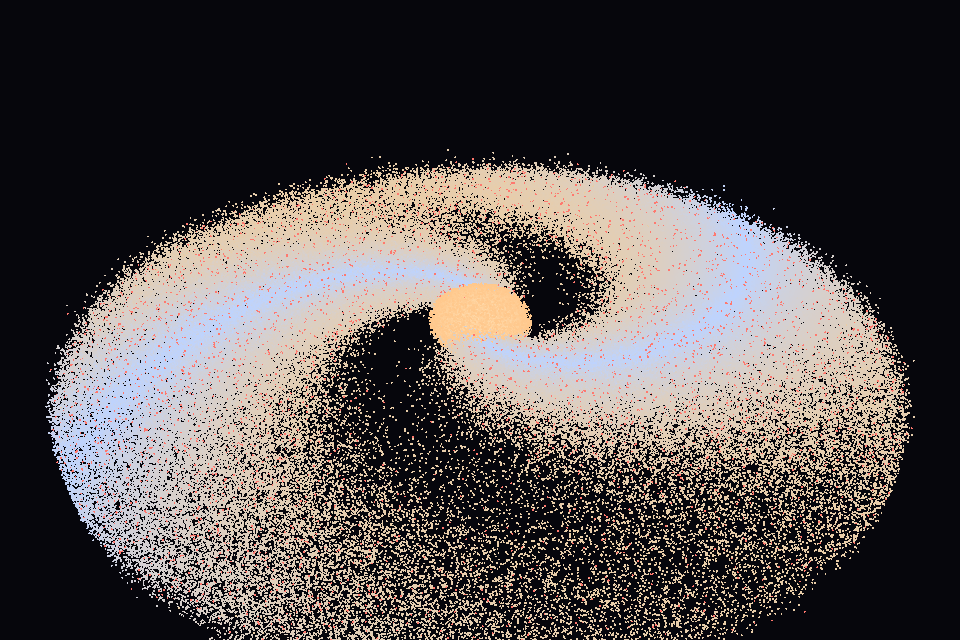
task cloud. A galaxy of up to a million opaque pixel points, grouped once into clusters of 256. Each frame keeps the clusters in view and thins the far ones: every point within six units, a spread half within twelve, a quarter within twenty-four, and one point for a whole cluster beyond, so zooming out stays quick in all three renderers. l switches the clustering off to compare, n cycles 100,000, 300,000, and 1,000,000 points, and - and = zoom. The status line counts the clusters and points drawn.
AABB tree#
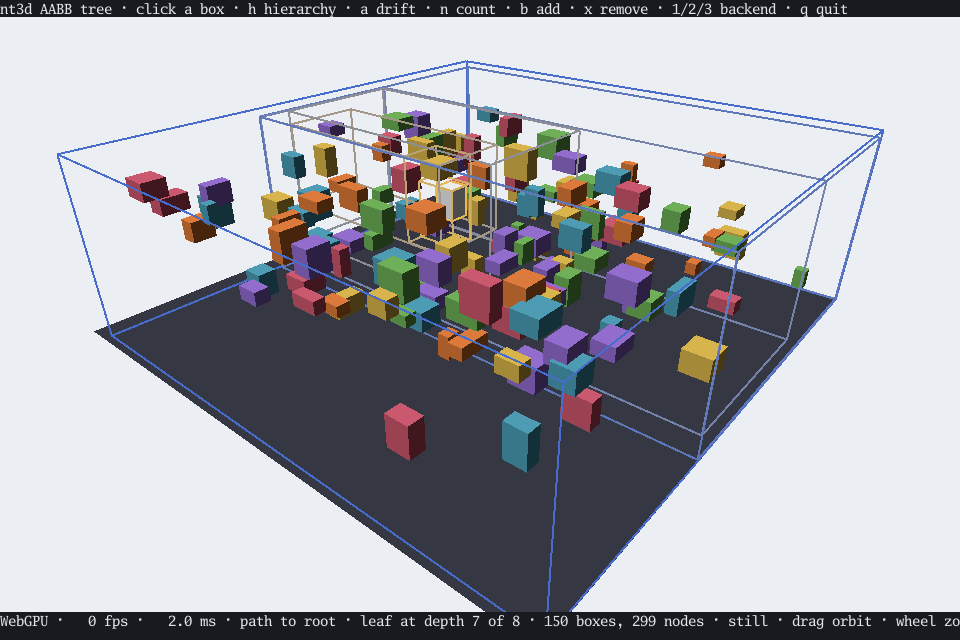
task aabb. Scattered boxes indexed by a dynamic AABB tree. Click a box: a ray from the camera through the click runs the tree’s own ray cast, the nearest box turns white, and its ancestors draw as nested wireframes, bright and warm at the leaf, cool and dim at the root. h switches between the picked box’s path, the whole tree, and none; a sets the boxes drifting, updating the tree every frame so you can watch ancestors stretch and the path change as it rebalances; n cycles 50, 150, and 500 boxes; b adds a box and x removes the picked one. The status line gives the leaf’s depth and the tree’s node count.
In a browser#
The gallery is online. To build and serve it yourself:
task build-web  # or task build-site, to include this guide at /docs/
task serve      # then open http://localhost:8768
The gallery links to every demo, each running inside booba with GPU, software, and wireframe rendering. The site’s sources are in web/, and the built site in dist/web/ can be served from any subdirectory.
Animation#

task animation. An original generated CC0 glTF ribbon bends on two joints, changes shape through a morph target, and plays translation, quaternion rotation, and scale tracks. a pauses; 1, 2, and 3 switch between GPU, software, and wireframe. The demo loads through glTF and drives the generic animation API.
glTF animation lab#
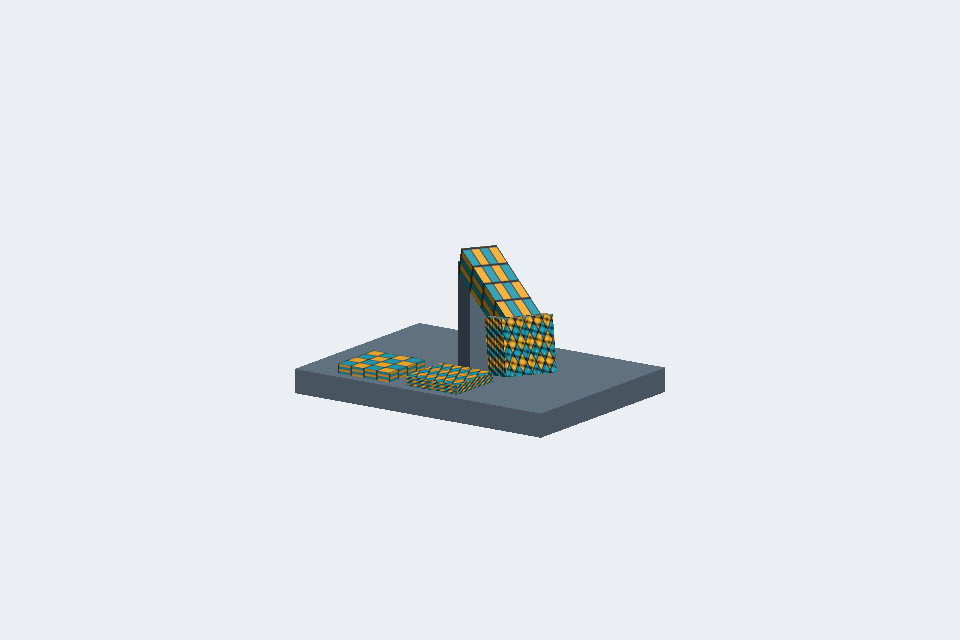
task animate opens two original generated CC0 scenes, followed by three self-contained Khronos glTF samples:
Assembly lab (6 KB GLB): nested turntable, shoulder, and tool pivots; authored perspective and orthographic cameras; reference and transformed texture tiles. The tool combines transformed color UVs with independent relief normal-map UVs. Press
kto cycle the orbit and authored cameras. Camera navigation restores the saved orbit view. GPU and software show the textures; wireframe shows the articulated structure.Spotlight stage (24 KB GLB): an overhead carousel rig carrying three animated
KHR_lights_punctualspotlights (warm gold, cyan, and magenta) andKHR_materials_emissive_strengthlamp canisters that orbit and nod their gimbals across a counter-rotating PBR gold ring, three ceramic pillars, and a stage floor, paired with an overheadpointfill light, key-spotlight perspective shadow mapping, and an authored"Stage front"camera (k).AnimatedMorphCube (GLB): two morph targets turn a cube into a thin slab and a ramp.
SimpleSkin (glTF plus binary buffers): two joints bend a strip through blended vertex weights and inverse bind matrices.
AnimatedTriangle (glTF plus binary buffers): quaternion keyframes rotate a triangle.
[ and ] change models, a toggles play/pause, Enter restarts, and , and . switch clips when a model has more than one. The bundled samples each have one clip. 1, 2, and 3 select GPU, software, and wireframe. Playback uses the generic animation API, and changing clips starts from a fresh instance so untracked channels return to the bind pose.
The original Assembly and Spotlights scenes are CC0 and can be regenerated with go -C examples/demos generate ./internal/demo/gltf. The Khronos model assets are CC0, by Microsoft (AnimatedMorphCube) and Marco Hutter (SimpleSkin and AnimatedTriangle). Upstream metadata is CC-BY-4.0. Original READMEs and licenses accompany every sample, with a pinned source revision in examples/demos/internal/demo/gltf/SOURCES.md. All sample files together, including provenance, occupy less than 60 KB.
Only cmd/animate imports the glTF sample embed package and assigns its Files to demo.SampleFiles. Relative .bin files are read through the mesh loader’s Options.Open. Other demo binaries do not embed these samples, and the separate examples/demos module keeps them out of the main library’s distribution. The generated animation demo and general-purpose meshes viewer and Gobkit character demo also opt into glTF decoding; other demos do not import that decoder.
Toon city#
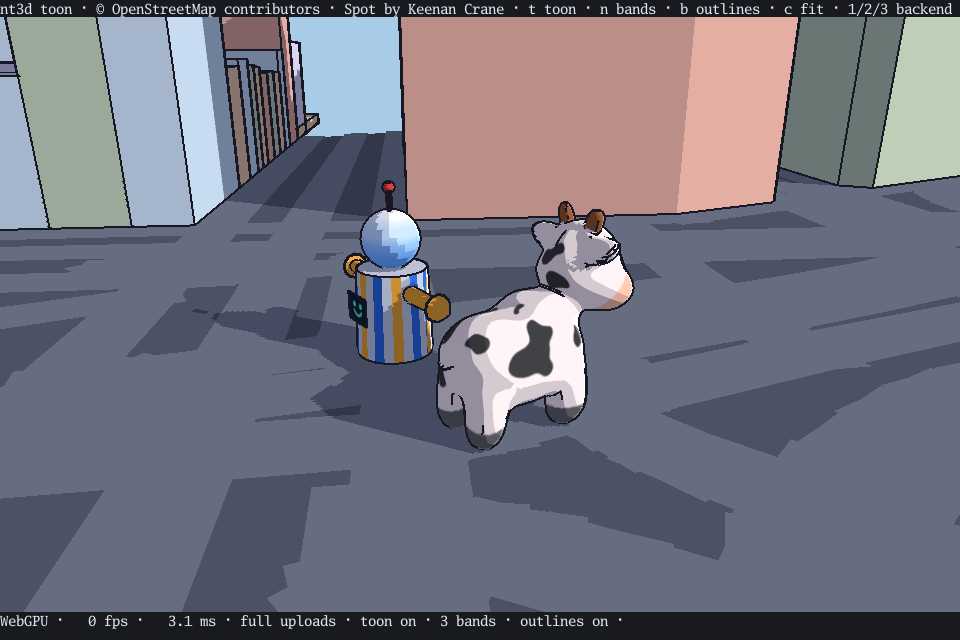
task toon stands Spot the cow and the robot, scaled to 14 m giants, beside a
refractive and translucent glass transit shelter topped by a skinned articulated
cloth-sheen pennant on a rain-slick clearcoated street in a block of Manhattan
near Flatiron, toon shaded with outlines and
crease lines under one shadow-casting sun. t
flips between toon and smooth shading, n cycles two, three, and four bands,
b toggles the ink across rigid buildings, glass mullions, and the deforming
pennant, s toggles softened street cast shadows (ToonStyle.ShadowSoftness),
and a toggles the pennant breeze. 1 / 2 / 3 select GPU, software, and
wireframe.
The block is flatiron.obj, 181 KB: 142 extruded buildings, a ground quad,
and road centerlines, baked from OpenStreetMap data with
ntmaps’ cityview3d -export;
flatiron.SOURCES.md beside it has the bounds, date, and command. The demo
repaints the buildings in five flat colors and widens the roads into
ribbons. Map data © OpenStreetMap contributors,
under the Open Database License; building heights are estimates from tags.
Only cmd/toon embeds the block, robot, and cow.
Camera paths#
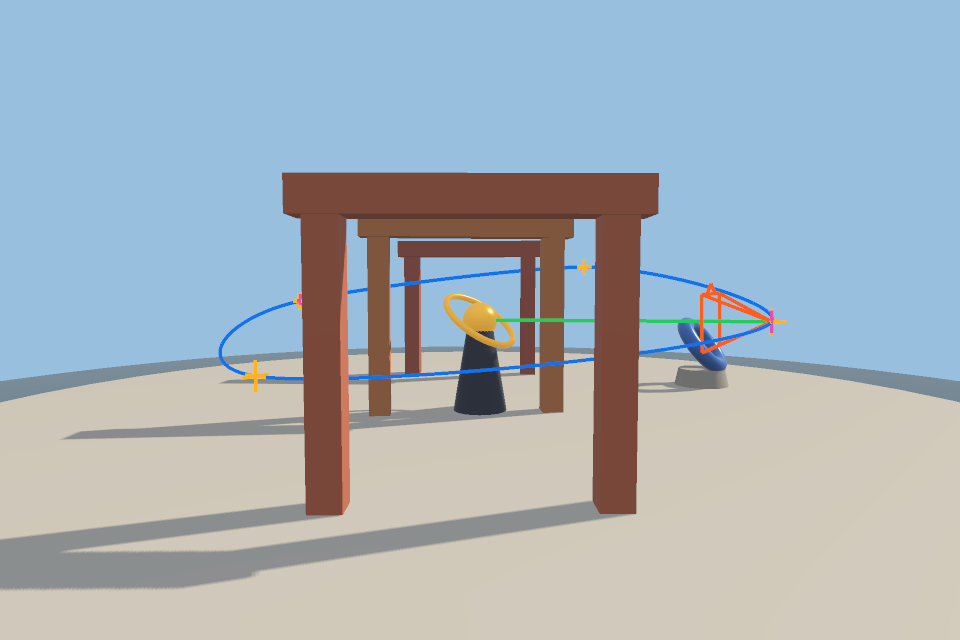
task campath. Three declarative YAML camera rigs (nt3d/cam and nt3d/cam/spec) fly around three terracotta portals, a spinning golden beacon, and a clearcoated cobalt sculpture:
- Canyon flythrough: an S-curve centripetal Catmull-Rom trajectory with Gauss-Legendre constant-speed arc-length timing, banking roll (
-12°to+14°), causallookcrossfades ("node:beacon"→ Bishop parallel-transporttangent→"node:sculpture"→"node:beacon"), FOV narrowing (56°→36°), and timeline cue markers. - Closed orbit: a periodic closed spline locked onto
"node:beacon"while pulling focal length from28mmwide to70mmportrait telephoto (nt3dcam.FocalMMToFovYon a 24 mm vertical full-frame gate). - Camera switcher: causal crossfades (
nt3dcam.Switch) between the flythrough and orbit paths over a 16-second loop.
[ and ] cycle presets, k detaches to an interactive director orbit camera (or re-attaches to ride the path; dragging or zooming also detaches smoothly), , and . scrub the playhead backward and forward by 0.5 s, b toggles the 3D spline, control-point, target-ray, and live camera frustum overlay (nt3dcamscene.AppendCameraPathOverlay), a pauses playback, and Enter restarts at t = 0. 1 / 2 / 3 select GPU, software, and wireframe.
Gobkit characters#
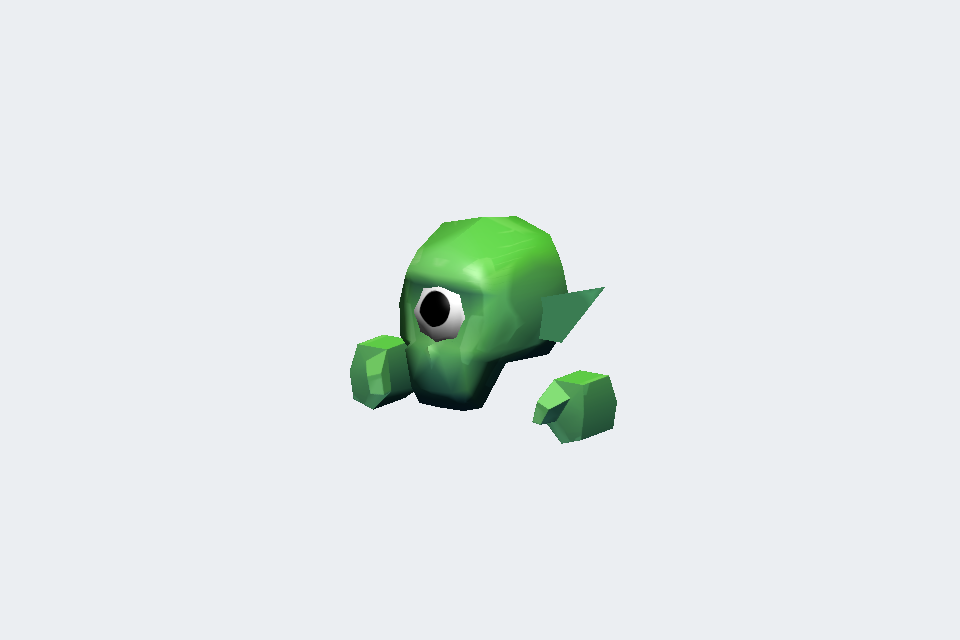
Press b for dark silhouette outlines in either GPU or software. The setting
survives character and clip changes, and toggling it keeps the current pose.
task characters plays Minion A-1, Corgi, and Duck from Gobkit.
All three have named idle, attack, and dead clips; the animals also have walk.
[ / ] change characters, , / . change clips, a toggles playback, and
Enter restarts the current clip (remaining paused if paused). Clips loop.
1 / 2 / 3 select GPU, software, and wireframe. The status line names the
character, clip, and source. The existing task animate glTF gallery remains available.
The original GLBs total 399,144 bytes and are CC0 1.0 (public domain,
no attribution required). License, download URLs, and SHA-256 checksums accompany
the assets in examples/demos/internal/demo/gobkit. Only cmd/characters imports
that embed package and supplies demo.SampleFiles; the files stay in the separate
demos module and are absent from library builds and other demo binaries.
Playback uses the same generic animation API and sample player as the Khronos gallery.
Lighting room#
Run task room in a Kitty-compatible terminal, or select room in the native
GoGPU gallery. For software rendering, run task room -- --render-mode software.
A polished sphere moves through an authored box probe inside a cutaway room. The walls and floor use supplied HDR irradiance textures with independent UVs. Press p to toggle local probes, l to toggle lightmaps, and a to pause. Drag to orbit and use the wheel to zoom; 1/2/3 switches GPU/software/wireframe.
The bundled HDR files are small, original synthetic fixtures. Their generator
is documented in examples/demos/internal/demo/roomassets/README.md; they are
not a GI bake or automatic scene capture. Static contact darkening belongs to
the pedestal, while the moving sphere does not modify the bake. Replace the
fixtures and UVs with external-tool exports to try real baked lighting.