Shapes and geometry#
A Geometry is what a node draws: triangles (with colors, normals, and texture coordinates), points, boxes, lines, and arrows, plus a material. You can fill one in by hand, but usually you build one or read one from a file.
Building shapes#
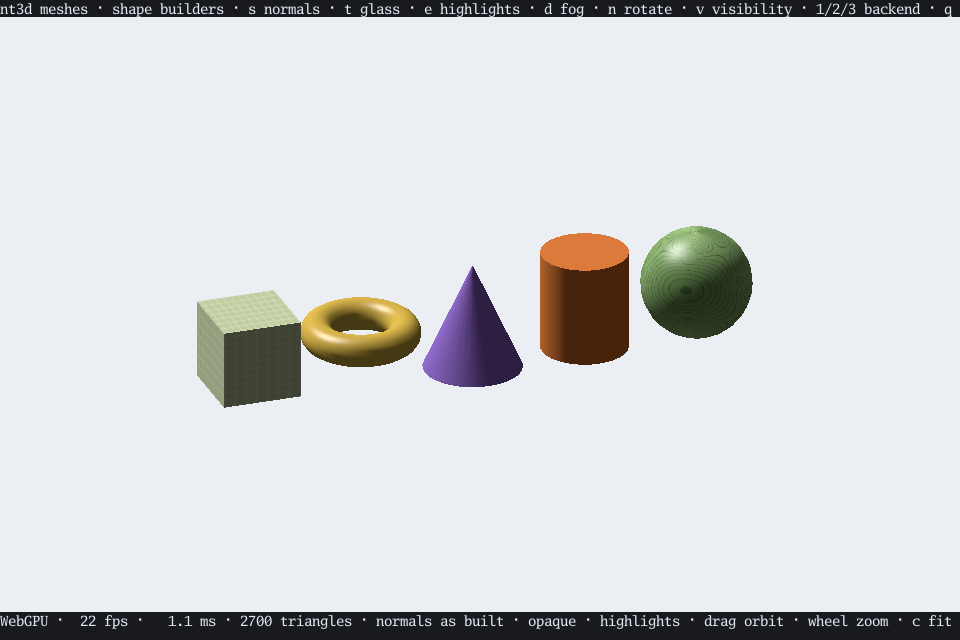
BuildSphere, BuildCylinder, BuildTorus, and BuildCuboid each take a small spec struct and return a lit, UV-mapped mesh centered on the origin, with Z up. Leave the tessellation counts and color at zero for sensible defaults.
sphere, err := nt3d.BuildSphere(nt3d.Sphere{Radius: .5, Material: &nt3d.Material{Texture: tex}})
cone, err := nt3d.BuildCylinder(nt3d.Cylinder{BottomRadius: .4, Height: 1})
BuildCylinder makes cones too (a zero TopRadius) and frusta (two different radii). Faces wind counterclockwise seen from outside.
Terrain#
BuildHeightfield makes a surface from a grid of heights, from a slice or a Sampler function. It sets up normals, texture coordinates, and a hint (Geometry.WireGrid) that lets the wireframe renderer draw a tidy row-and-column lattice instead of every triangle. The terrain demo is built on one.
Changing geometry#
moved, err := nt3d.TransformGeometry(cone, nt3dmath.Translation(nt3dmath.Vec3{X: 1}))
both, err := nt3d.MergeGeometry(sphere, moved) // fails: different materials
smooth, err := nt3d.SmoothNormals(stlGeometry, 40)TransformGeometrybakes a transform into the vertices and normals. Unlike a node’s transform it can mirror, and it reverses the winding so faces still point outward.MergeGeometryjoins geometries that share a material.FlatNormalsgives each face its own normal, for a faceted look.SmoothNormalsaverages the normals of faces meeting at a point, if they meet at less than the crease angle you give, weighting each by its corner’s angle. It matches corners by position, so it smooths STL files, whose triangles share no vertices, too.
Updating fixed-topology meshes#
When an indexed triangle mesh animates on the CPU without changing its triangle indices, UVs, or material—such as water tiles, cloth, or terrain patches—update its vertices in place instead of calling SetNodeGeometry:
err := scene.SetNodeVertices(node, vertices, bounds)
// Partial vertex-range replacement:
err = scene.UpdateNodeVertices(node, start, vertices[start:end], bounds)
// Or supply updated analytic tangents alongside vertices (for normal-mapped surfaces):
err = scene.SetNodeVerticesWithTangents(node, vertices, tangents, bounds)
These methods validate and clone only the updated vertex (and optional tangent) slices, reuse the existing Indices, UV, NormalUV, and Material, trust the caller-supplied bounds (verifying updated vertices lie inside it), and overwrite existing WebGPU vertex buffers via WriteBuffer without reallocating GPU buffers or bind groups. On a 64×64 normal-mapped mesh (BenchmarkMeshUpdate64x64), SetNodeVerticesWithTangents runs ~5× faster on the CPU than SetNodeGeometry with zero GPU buffer reallocations. Use SetNodeGeometry when topology, UVs, or morph/skin deformation changes, and Scene.ApplyMaterial to update material parameters independently.